
AutoPilot Seller Guide
Цей контент ще не доступний вашою мовою.
AutoPilot Seller Guide
Заголовок раздела «AutoPilot Seller Guide»Earn money by completing KYC verifications for Bybit and MEXC accounts through the @AutoPilotSELLER_bot.
Full guide on Teletype: teletype.in/@buykyc_bot/AutoPilotSellers_GUIDE
What is AutoPilot Seller?
Заголовок раздела «What is AutoPilot Seller?»AutoPilot Seller is a Telegram bot that connects you with orders for KYC verification. You receive a task link, complete the identity verification on the exchange, and get paid automatically.
Bot: @AutoPilotSELLER_bot
Step-by-Step Workflow
Заголовок раздела «Step-by-Step Workflow»Step 1 — Click Your Order Link
Заголовок раздела «Step 1 — Click Your Order Link»When a new order is available, you receive a unique task link in the bot. Click it to open the KYC verification session directly — no account login required.
Step 2 — Share Your Phone Number and Location
Заголовок раздела «Step 2 — Share Your Phone Number and Location»The bot will ask you to share your phone number and geolocation for identity.
- Phone — shared via Telegram, must be a real number you control
- Location — geolocation is matched against the country of your phone number
- GEO ↔ country check — if the phone country and your geolocation don’t match, registration is rejected
This anti-sybil step is required to assign tasks and process payments. Additional risk-system checks run continuously:
- Wallets you withdraw to are tracked
- Linkage between sellers via shared wallets is detected
- Geolocation proximity is compared between sellers (down to 50 m)
Accounts flagged for multi-accounting or abuse are sent for review and blocked.
Step 3 — View Order Details
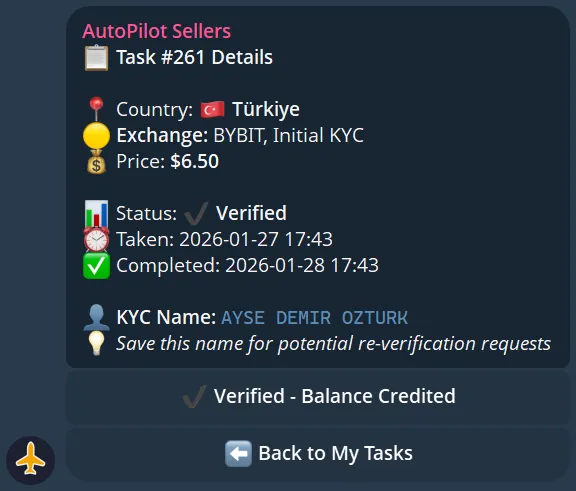
Заголовок раздела «Step 3 — View Order Details»After accepting a task, you’ll see the exchange (Bybit or MEXC), country, payment amount, and deadline.
Step 4 — Take a Task
Заголовок раздела «Step 4 — Take a Task»Press Take Task in the bot to claim the order. Once claimed, the task is reserved for you.
Step 5 — Complete the KYC
Заголовок раздела «Step 5 — Complete the KYC»Follow the verification flow on the exchange. The bot provides everything needed — no account credentials are shared with you. You only complete the identity verification step.
Step 6 — Get Paid
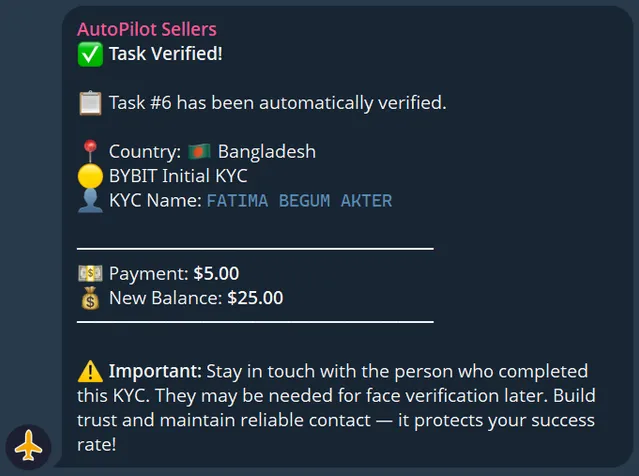
Заголовок раздела «Step 6 — Get Paid»After successful verification is confirmed, payment is credited to your bot balance automatically.
Task Statuses
Заголовок раздела «Task Statuses»| Status | Meaning |
|---|---|
Available | Task is open and can be claimed |
In Progress | You have taken the task — complete it |
Completed | Verification confirmed, payment sent |
Failed | Verification was not accepted — no payment |
ReKYC | Re-verification requested (see below) |
Reset | Pilot manually reset the task (see below) |
Tasks Reset by Pilots
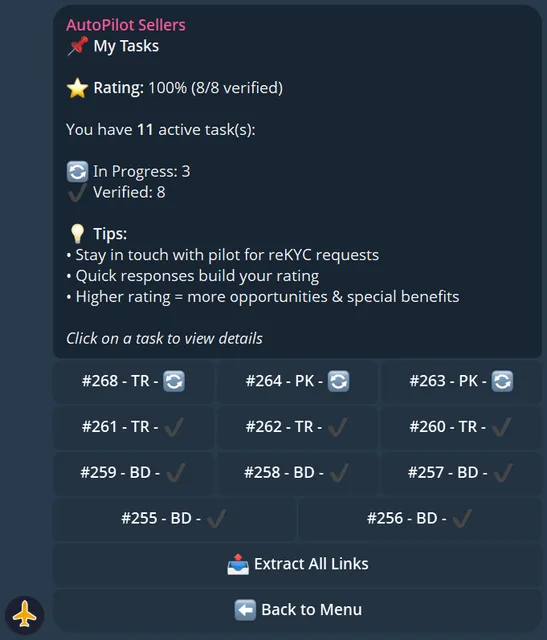
Заголовок раздела «Tasks Reset by Pilots»Pilots can hand a task to another worker if they decide your progress isn’t acceptable. When that happens, you’ll see the task disappear from your active list — no payment is sent. Stay responsive and complete tasks within the deadline (24h–72h, set by the pilot) to avoid resets.
Your Dashboard
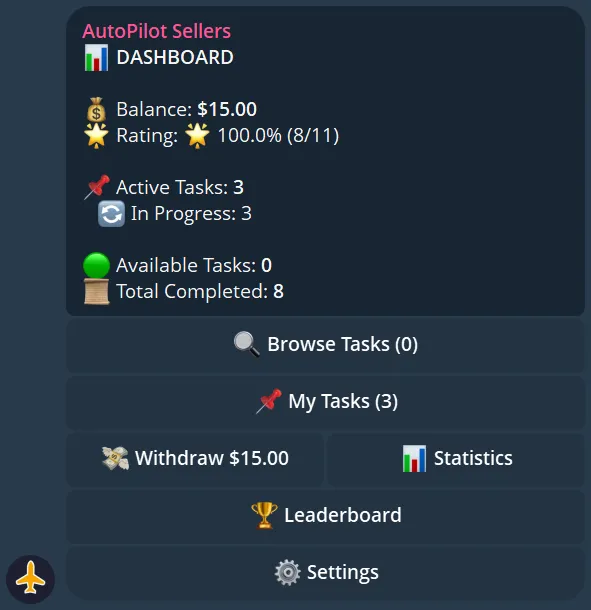
Заголовок раздела «Your Dashboard»Access your dashboard anytime via the My Dashboard button in the bot. It shows your current balance, active tasks, completed task count, and your rating.
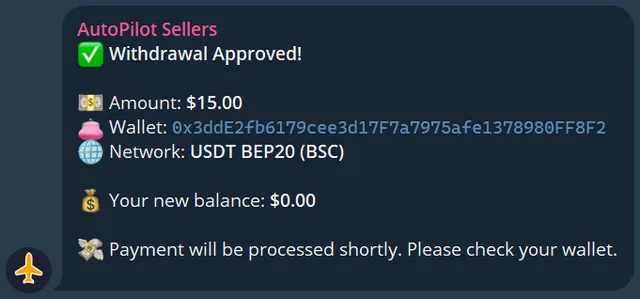
Requesting a Withdrawal
Заголовок раздела «Requesting a Withdrawal»Once your balance reaches the minimum threshold:
- Press Withdraw in the bot
- Enter your wallet address and network
- Confirm the withdrawal
- Funds are sent automatically
ReKYC Requests
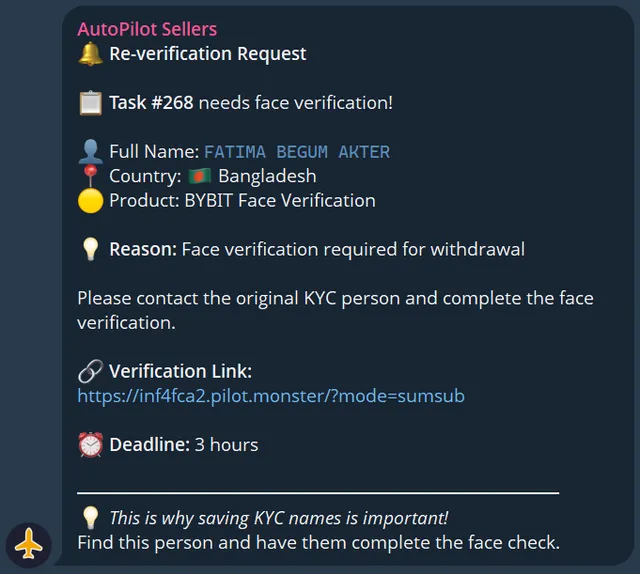
Заголовок раздела «ReKYC Requests»Sometimes an exchange requires re-verification of an account. You will receive a ReKYC notification in the bot with a new task link. Complete it the same way as a regular task — payment is provided for successful ReKYC as well.
MEXC — Free Face Verification in the First 30 Minutes
Заголовок раздела «MEXC — Free Face Verification in the First 30 Minutes»On MEXC, the exchange often requests an extra Face Verification right after KYC — especially for trading or withdrawal access. If that request arrives within the first 30 minutes after you completed the KYC, you must complete it as part of the same task — no extra payment.
- After your KYC submission, the bot keeps polling the account for 30 minutes
- If MEXC asks for Face Verification — you’ll get a notification with the new Face Scan link
- Payment for the base KYC is only released after the Face Scan is successful
- If you skip the Face Scan or fail it — you receive no payment for the task
If the Face Verification request arrives later (hours or days after KYC), it’s a separate paid ReKYC task.
Priority Sellers and Blacklist
Заголовок раздела «Priority Sellers and Blacklist»Pilots can mark sellers as preferred — preferred sellers get a private 15-minute window on new orders before anyone else sees them. Conversely, pilots can blacklist sellers they don’t want to work with again.
- Build a strong rating to be added to favorites by repeat customers
- Failing tasks, missing deadlines, or getting flagged by the risk system can land you on a pilot’s blacklist
Leaderboard & Badges
Заголовок раздела «Leaderboard & Badges»Top performers appear on the leaderboard. Complete more tasks to climb the ranks.
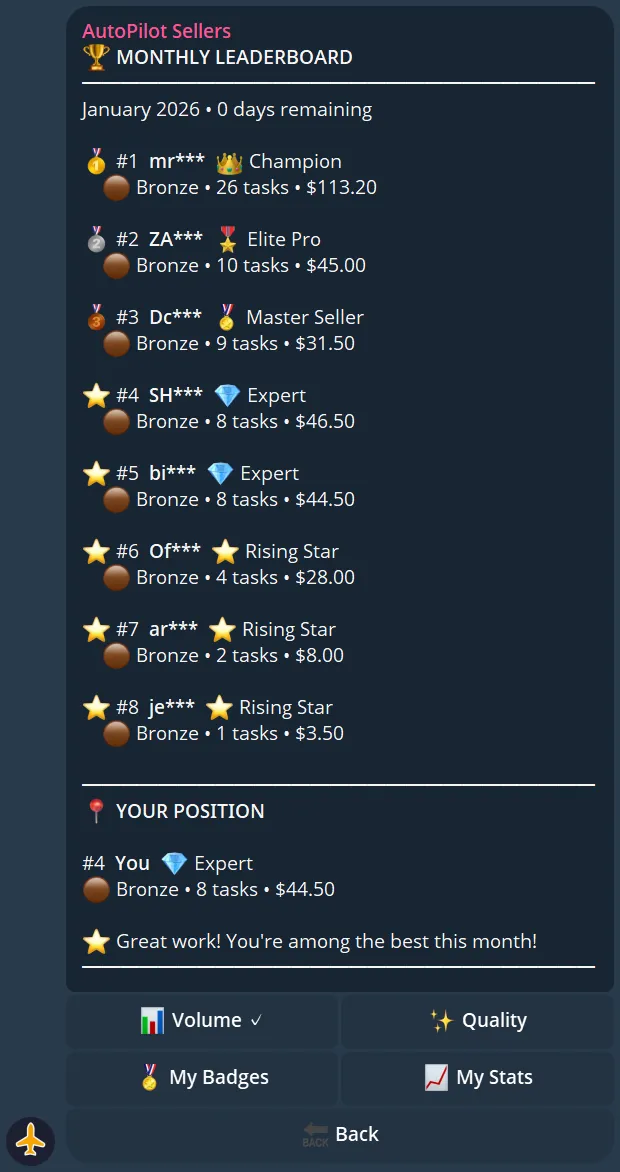
| Tier | Description |
|---|---|
| 🏆 Champion | Top seller overall |
| ⭐ Elite Pro | High volume, high accuracy |
| 🎯 Master Seller | Consistent performer |
| 🔥 Expert | Growing seller |
| 🌱 Rising Star | New but active |
Badges you can earn:
| Badge | How to Earn |
|---|---|
| First Steps | Complete your first task |
| Tenacious | Complete tasks across multiple days |
| Speed Demon | Complete a task in record time |
| Perfectionist | 100% success rate milestone |
| On Fire | Complete several tasks in a row |
| Marathon | High total task count |
| Globe Trotter | Complete tasks for many different countries |
Statistics & Analytics
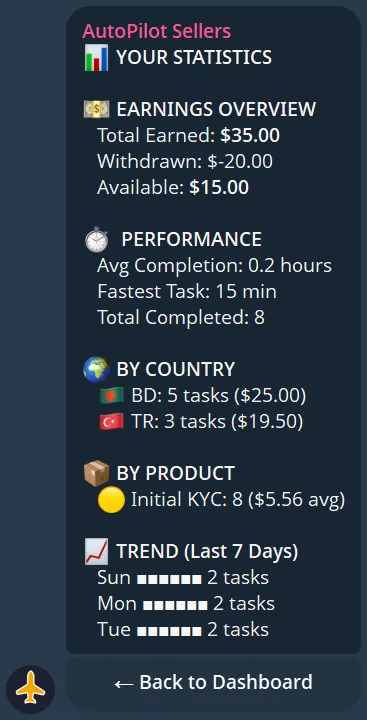
Заголовок раздела «Statistics & Analytics»The bot provides detailed stats on your performance: total tasks completed, success rate, total earned, average completion time, and country breakdown.
Managing Your Countries
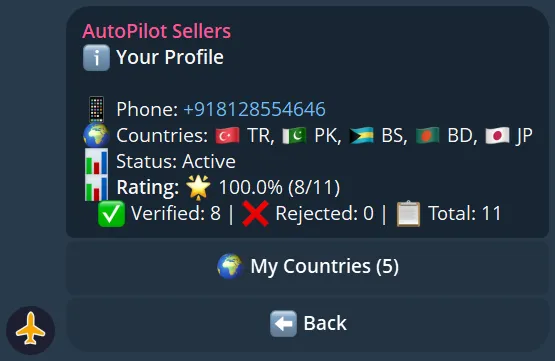
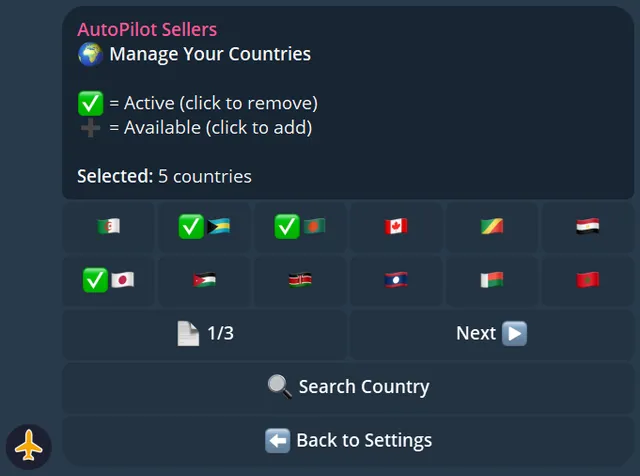
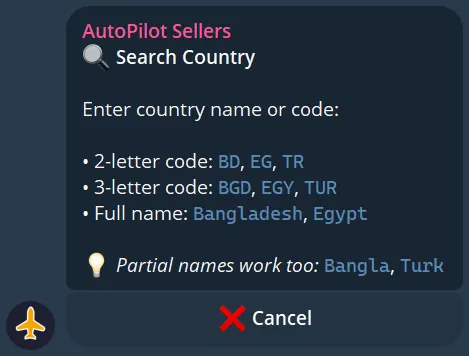
Заголовок раздела «Managing Your Countries»You can set which countries you want to work with in the bot settings. This filters the tasks you receive — only orders from your selected countries will be shown to you.
Quick Reference
Заголовок раздела «Quick Reference»| Action | How |
|---|---|
| Start | @AutoPilotSELLER_bot |
| Take a task | Press Take Task when notified |
| Check balance | My Dashboard in the bot |
| Withdraw | Withdraw button in the bot |
| Set countries | Settings → Countries |
| View history | Task History in the bot |
Support
Заголовок раздела «Support»Having issues? Contact support:
Telegram: @poyof
Telegram ID: 7694252250